How to Take Meeting Notes for In-Person Meetings Without a Bot
Learn how to record an in-person meeting on your phone, turn speech into text, and get a summary with action items using Meco, no meeting bot required.
To take notes for an in-person meeting without a bot dialing in, put your phone in the middle of the table, record the whole conversation, then let an AI assistant turn the speech into text and summarize it. With Meco you open the app, tap record or scan a QR code to capture audio from your phone, and once the meeting ends you get a full set of minutes with a summary, a list of decisions, and a table of action items. There is no bot to invite and the meeting does not have to happen online.
Why most meeting tools fail at in-person meetings
Most meeting assistants today are built for video calls. They work by sending a bot into a Zoom, Google Meet, or Microsoft Teams room, where it listens to the platform audio. That is convenient for remote calls, but it does nothing when everyone is sitting in the same room.
Built-in features have the same limit. Zoom AI Companion, Teams Copilot, and Gemini in Google Meet only capture meetings that run on their own platform. When you gather in a conference room, talk in a hallway, interview a client, or meet at a coffee shop, no bot can join. That gap is exactly what an app that records in-person meetings on your phone is meant to fill.
Yet in-person meetings are where a lot of important decisions get made: team stand-ups, client visits, job interviews, parent meetings, startup discussions. If you still take notes by hand, you split your attention between the conversation and your notepad, and action items slip through.
Comparing ways to capture offline meeting minutes
There are three common ways to record an in-person meeting. The table below gives a quick comparison.
| Criteria | Phone recorder + manual typing | NotebookLM | Meco |
|---|---|---|---|
| Capture audio in the room | Yes | No live capture, needs an existing file | Yes, record live or capture via phone |
| Turn speech into text | Type it yourself | Upload a file first | Automatic |
| Summary and action items | No | Summarizes, no standard task table | Summary, decisions, and action table |
| Push tasks to a project board | No | No | Sends items straight to a Kanban board |
| Ask across many meetings | No | Within one notebook | AI assistant searches your full meeting history |
| Multilingual support | Depends on the typist | Moderate | Strong, many languages including Vietnamese |
| Starting cost | Free but time-consuming | Free | Free 1 hour for life |
Typing by hand costs nothing but drains your focus and your time after the meeting. Document tools like NotebookLM handle existing files well, yet they are not built to stand in the room and hit record. Meco goes straight at this case: it captures the in-person meeting and returns structured minutes.
If you are weighing several tools against each other, our comparison of Notta, Fireflies, Otter and Meco lines up converted prices, language coverage and offline recording side by side.
Recording an offline meeting with Meco, step by step
- Open Meco on your computer or phone and create a project for the team or topic you are meeting about.
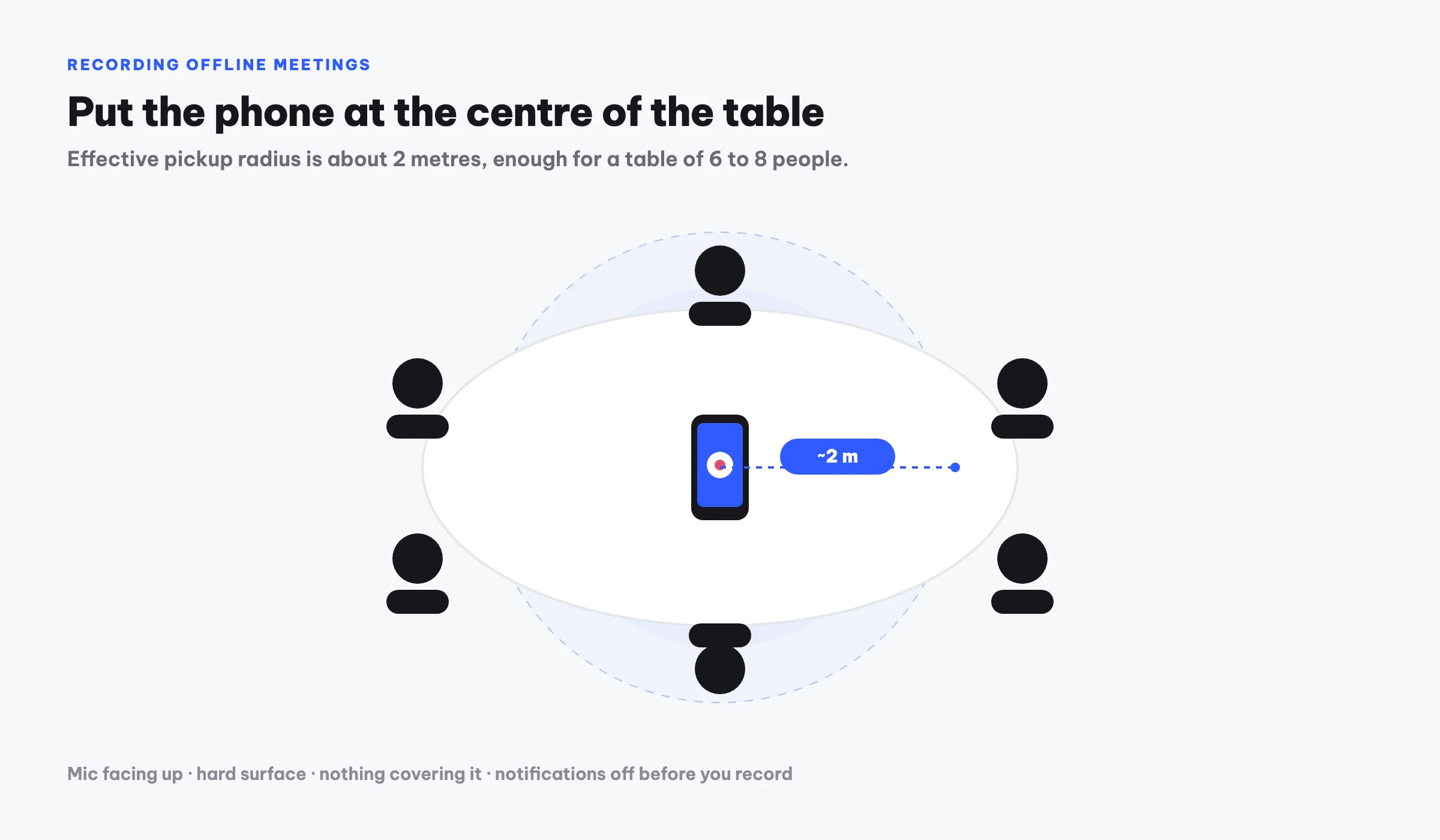
- When the meeting starts, tap record inside the app. If you are on a computer, scan the QR code to use your phone as the microphone and place it in the middle of the table, close to the speakers.
- Let the meeting run naturally. You do not type anything, so you can stay in the conversation.
- When the meeting ends, stop the recording. Meco turns the speech into text, then uses AI to produce minutes with a Summary section, a list of Decisions, and an Action items table with an owner and a status for each task.
- Review the action table, assign owners where needed, then push the tasks onto your project Kanban board to track them.
- Export the minutes to Word or PDF, or share a link with anyone who missed the meeting.
If you already recorded the audio with another app, you can upload the file and let AI build the minutes instead of recording live. Meco also pulls content from Google Drive, Zoom, or YouTube, so a recorded workshop becomes clean minutes too.
Situations where this approach fits
- Weekly team meetings, where there are many tasks to assign and follow up.
- Client or advisory sessions, when you need to capture requests precisely while keeping eye contact.
- Job interviews, so you can review answers afterward instead of relying on memory.
- Students in lectures or study groups, when a summary helps for later revision.
- Founders meeting investors or partners, wanting to keep every commitment and next step.
What these have in common is that the conversation matters but does not happen through a video-call platform. That is where a personal meeting assistant that can record in the real world stands apart.
An assistant with memory, not just a transcript
A single set of minutes is already useful, but the bigger value comes from accumulation. After several meetings, you can ask Meco's AI assistant questions like "What budget did the client settle on last time?" and it finds the answer across your meeting history. A notebook or a folder of loose recordings cannot do that.
On cost, the Free plan gives you 1 hour of recording for life with one project, enough to try it on a real meeting. Plus is $7.50 per month, about 1.85 US dollars, for 30 hours and 5 projects. Team is $15 per month for 60 hours and unlimited projects. This pricing suits individual users with heavy meeting schedules, such as marketers, consultants, freelancers, founders, and students.
Frequently asked questions
Do I need to invite a bot to the meeting?
No. Meco records directly through your device, so no bot has to join. That is why Meco can capture in-person meetings that happen entirely outside any video-call platform.
Is a phone recording clear enough to build minutes?
Yes, as long as you place the phone near the speakers, ideally in the middle of the table. You scan the QR code in the app to turn your phone into the recording microphone, then Meco turns the speech into text and summarizes it.
Does Meco handle languages other than English?
Yes. Meco is multilingual and handles Vietnamese particularly well, so minutes and summaries stay clear and accurate across the languages your meetings use.
What is included in the minutes?
Each set of minutes has a Summary of the discussion, a list of Decisions, and an Action items table with an owner and a status for each task. You can push those tasks to a Kanban board to track progress.
What if I already have an audio file?
You upload the file instead of recording live. Meco also accepts content from Google Drive, Zoom, and YouTube, then produces minutes with the same summary, decisions, and action-item structure.
Try Meco for free
Record or upload a meeting and get minutes with decisions and action items right away. First hour free.
Start for free